Your X bookmarks, finally on a shelf.
Shelved keeps every post you save on X, sorts it into topics on its own, and lets you search the whole pile by what it means. It runs on your computer. Nothing leaves it.
Sign in with your email, add the browser extension, done. Open source, and you can also run it yourself.
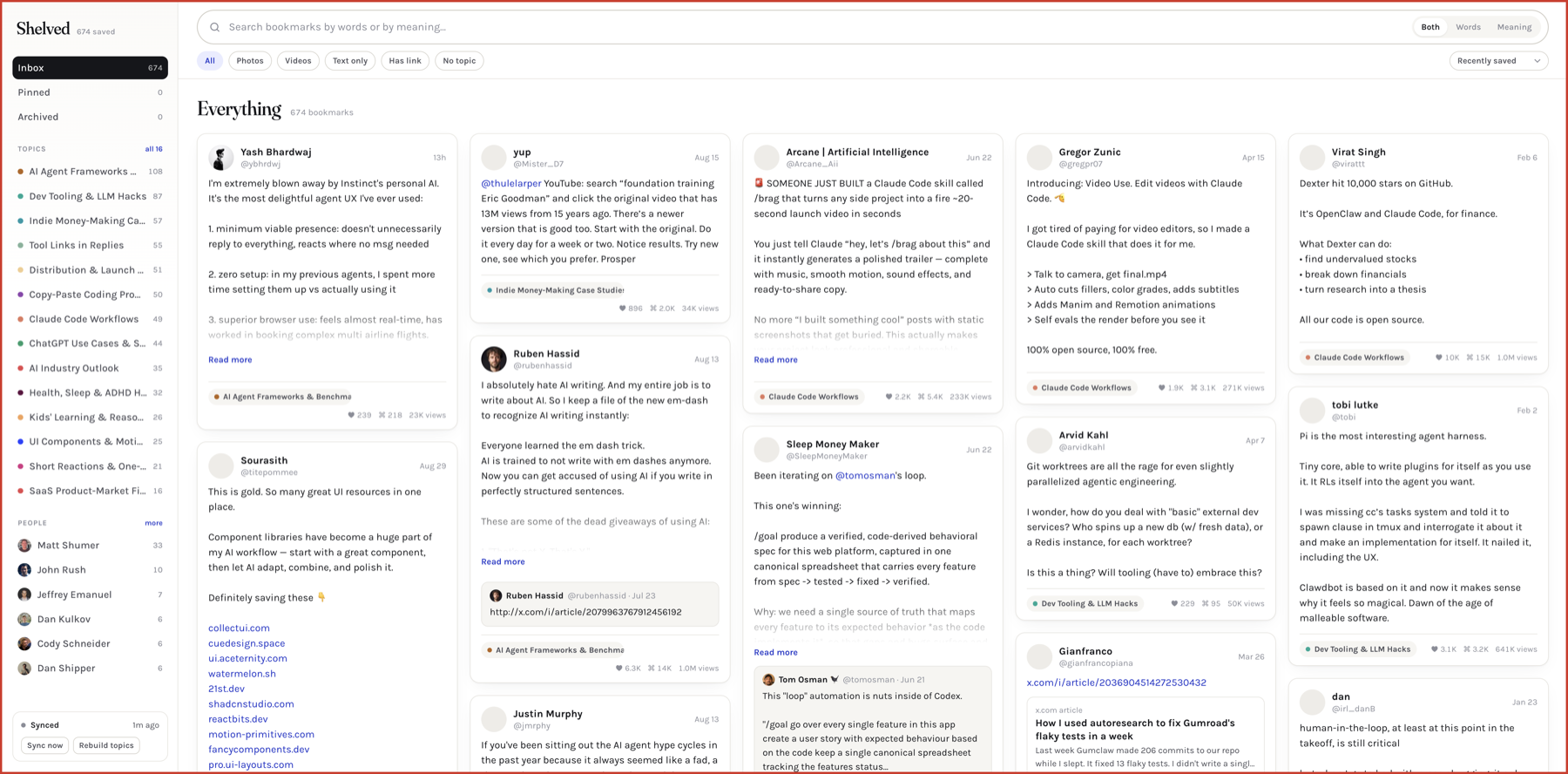
Topics without any work
Every post is embedded on your machine and grouped with its neighbors. Claude names the groups when you give it a key. Without one, they are named from their own words.
Search by meaning
“How to sleep better” finds the sleep protocol thread that never uses the word better. Words and meaning, together or apart.
Your own order on top
Pin, archive, note, tag. Move a post to a different topic and it stays there. Rename or merge topics. Photos, videos, link cards and long posts all render cleanly.
How it works
The extension reads your bookmarks the same way the x.com website does, from inside your browser. New saves show up within half an hour. Bookmarks you remove on X drop out.
A small open model turns each post into a vector, locally. Clusters form around the natural groups in what you save, and your renames survive rebuilds.
Your shelf lives at shelved.sh and opens on any device. Delete your account and everything goes with it. Prefer your own machine? The same code runs locally from one folder.
Or run it yourself
The whole thing is open source. Run it on your own machine and nothing leaves it, not even for topic names if you skip the Claude key.
git clone https://github.com/ashot/shelved
cd shelved && bun install
bun run dev   # or: docker compose up -d
Things worth knowing
The extension talks to X's private web API, the one the website itself uses, with the login already in your browser. Shelved's servers never see your X cookies, and they never talk to X. X's terms restrict automated access, so this is a tool for your own account, used at your own discretion.
Shelved stores the posts you bookmarked, their embeddings, and your notes and tags. Claude sees fourteen posts per topic to name it. Nothing is sold, shared, or used for anything else, and deleting your account removes all of it.